
Every job you complete adds earnings to your account.
How to view your earnings
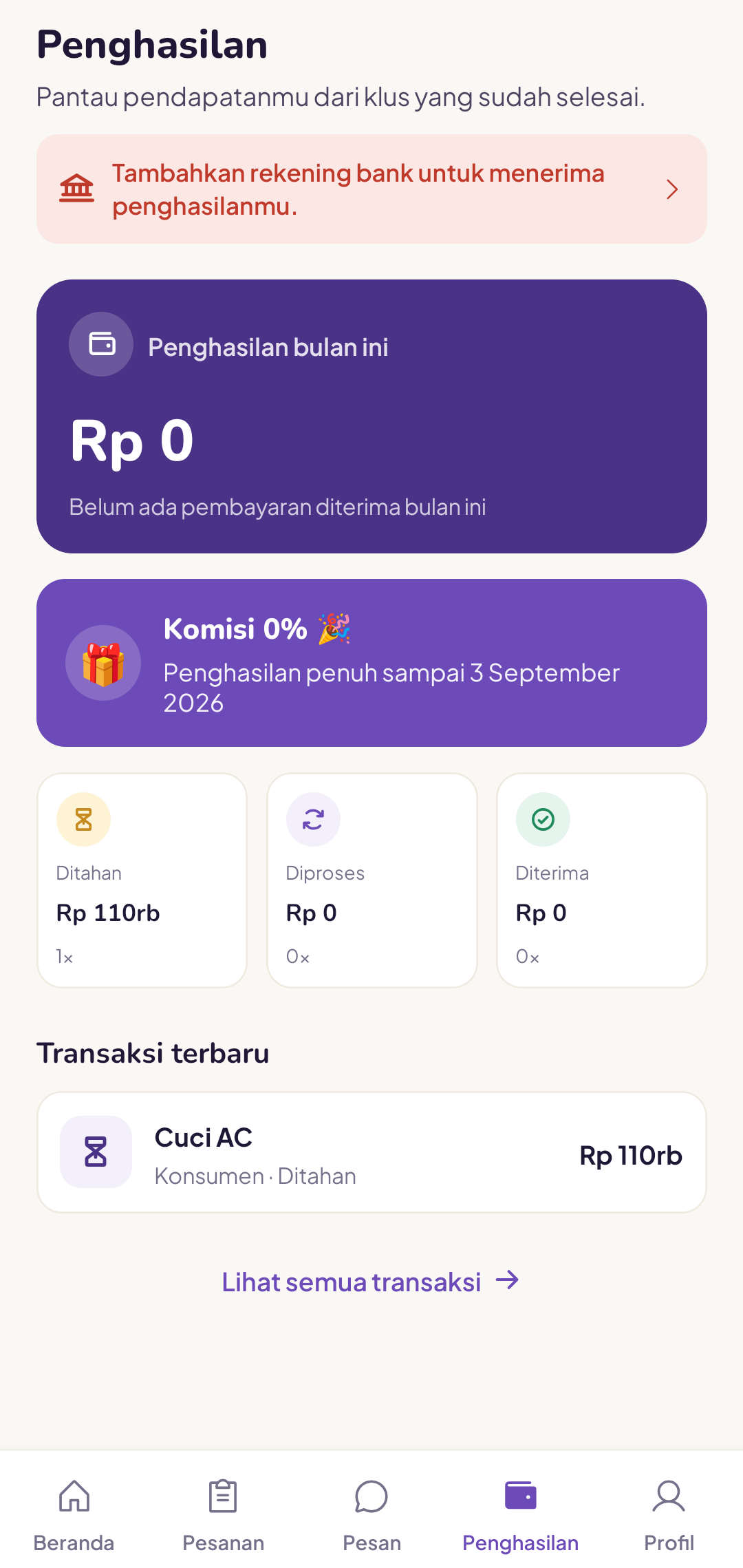
Open the Earnings tab in the tukang app. You can see this month's earnings, your balance status (Held, Processing, Received) and recent transactions.
What counts as earnings
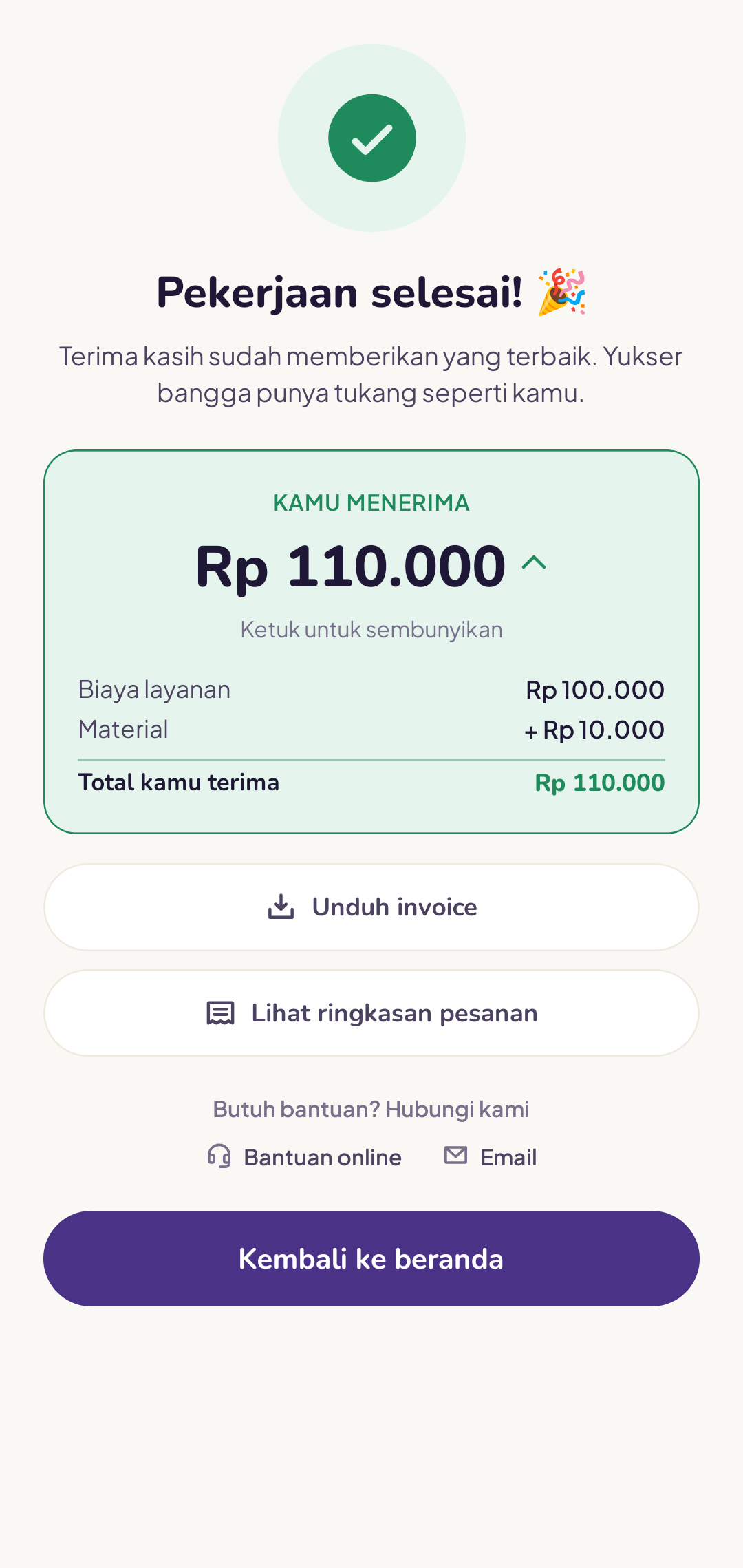
- The service fee paid by the customer
- Minus the platform commission (a small percentage, explained in your tukang contract)
- Actual materials you entered when closing the order
You can open the breakdown for each order directly on the order detail page.
When do earnings come through?
Earnings from closed orders usually appear in your balance within a few minutes after the job is complete. Disbursement to your bank account is done periodically (see the Tukang fund disbursement article).
My earnings show Rp 0 today even though I've finished a job
Make sure you have tapped Mark as complete and entered the code from the customer. The status must change to "Complete" for it to count towards your earnings.
Check your earnings history at least once a week. If anything does not add up, contact the team as soon as possible.