
Once the job is done, it's time to close the order in the app.
Steps
- Open the order detail page.
- Tap Mark as complete.
- Upload a photo of the completed work as proof for the customer.
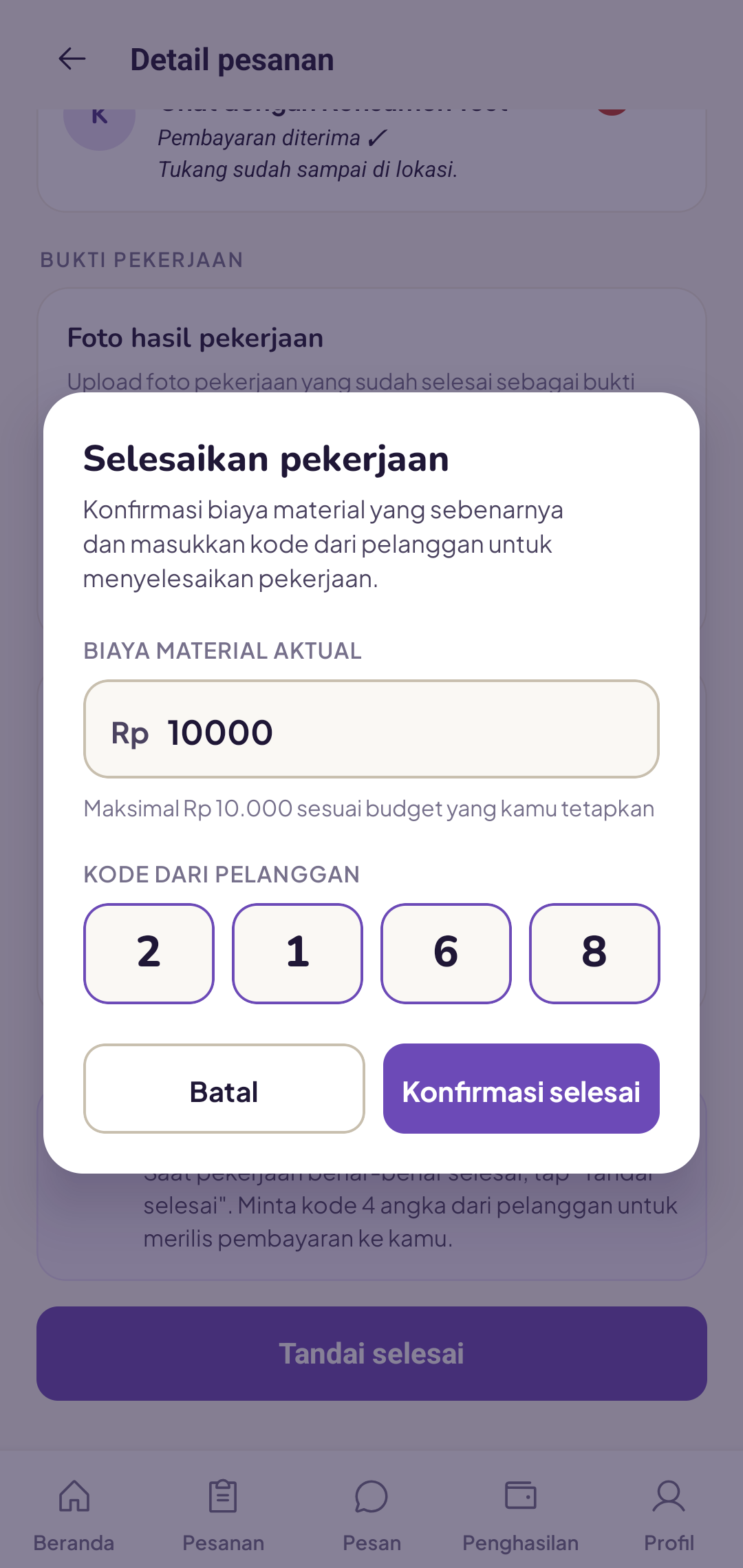
- Enter the actual material costs you used (this can be less than the estimate).
- Ask the customer for their 4-digit code and enter it.
- Tap Confirm completion.
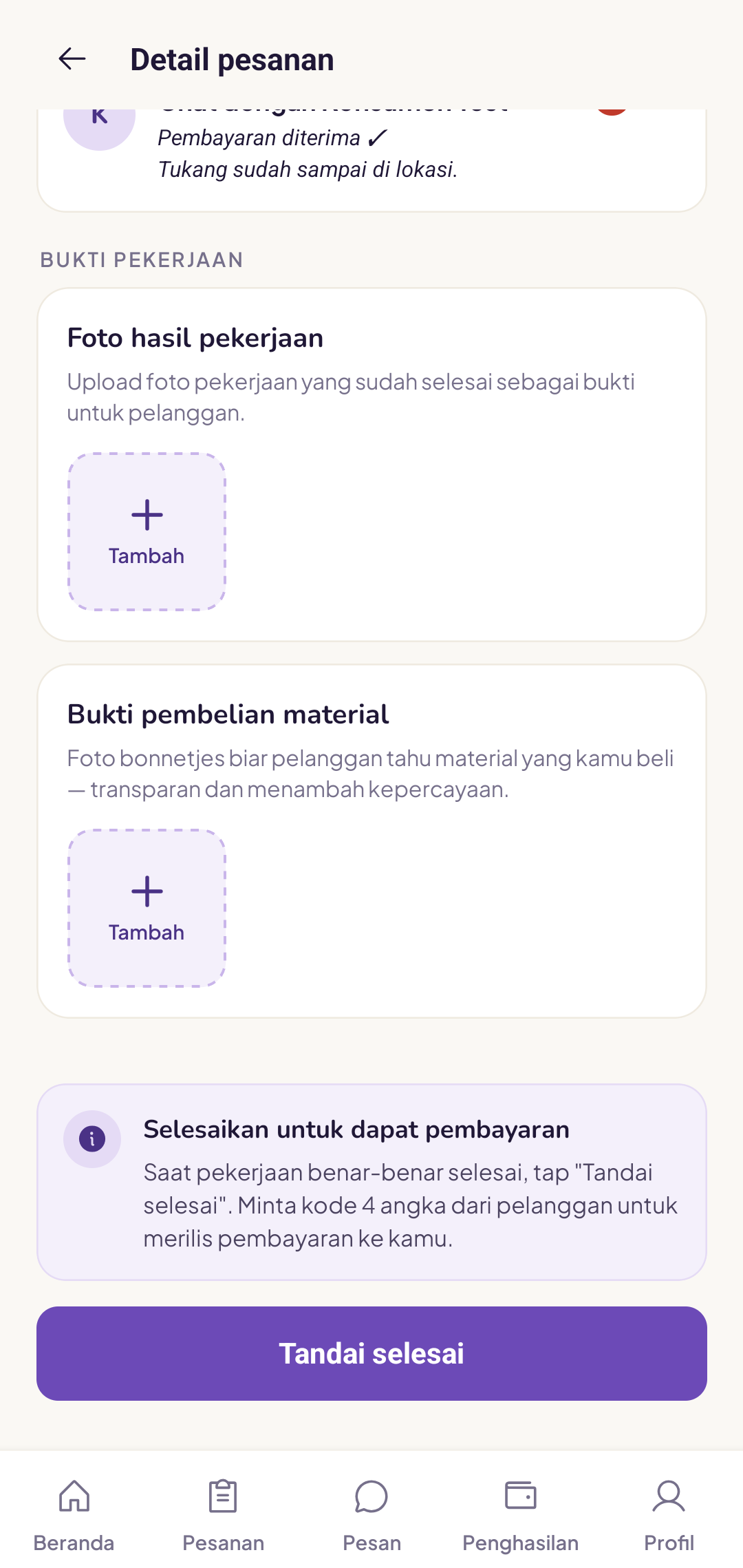
The customer's 4-digit code
This code appears on the customer's screen. It confirms that the job is truly finished from the customer's side, before payment is released to you.
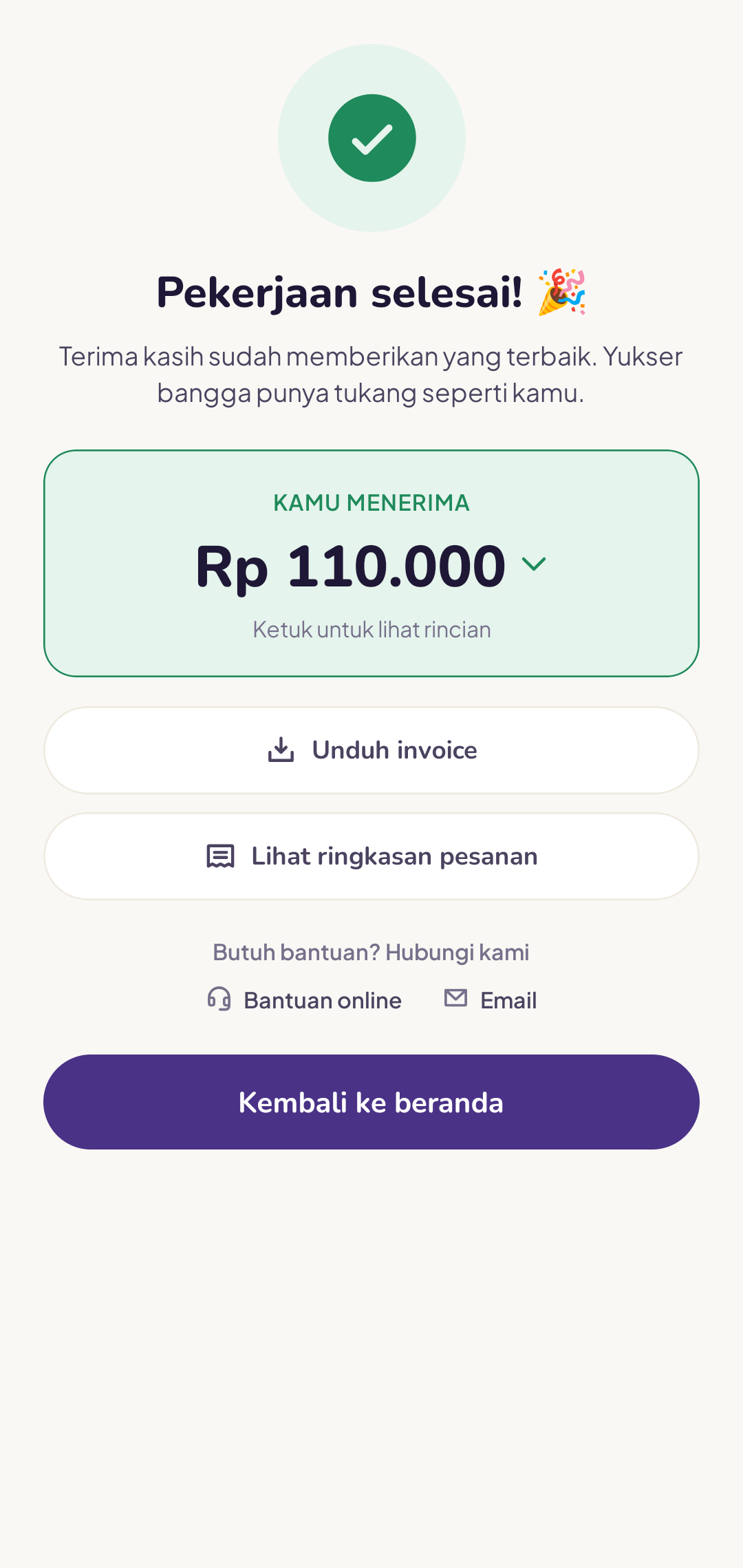
What happens next?
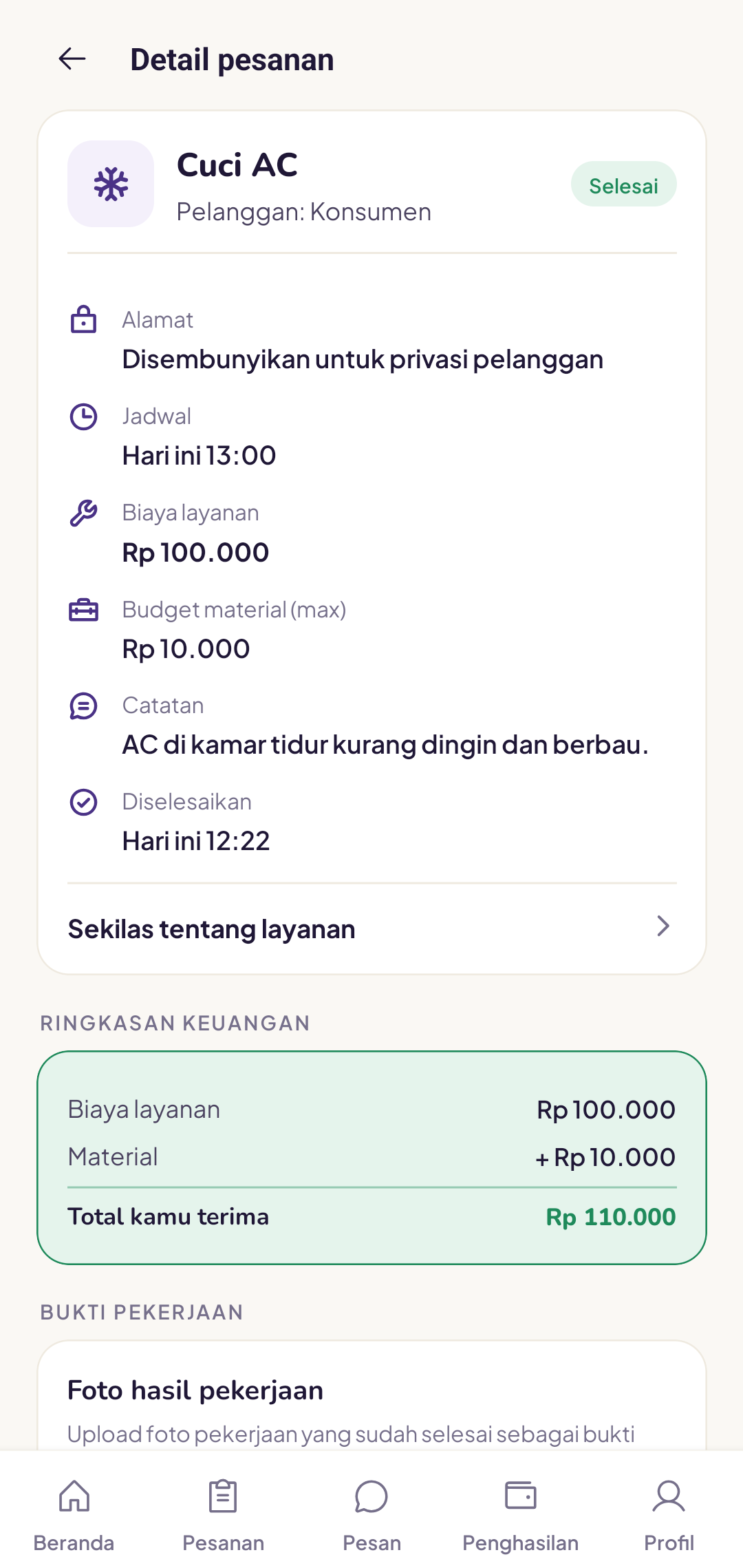
The order immediately changes to Completed and you can see the amount you'll receive. The customer is notified and prompted to leave a review.
You can still open the full details again on the order detail page.
What if the customer is not satisfied?
First, talk directly with the customer. If there's a disagreement, the Yukser team will help mediate. A 7-day guarantee applies, so if there's a complaint within the first week, you may be asked to return for a follow-up visit.
Be honest about actual material costs. The system automatically refunds any difference to the customer, and this builds trust.