
When an order appears in your service zone, a notification shows up in the app with a brief summary:
- Type of service
- Location (distance from you)
- Base rate
- Customer notes (if any)
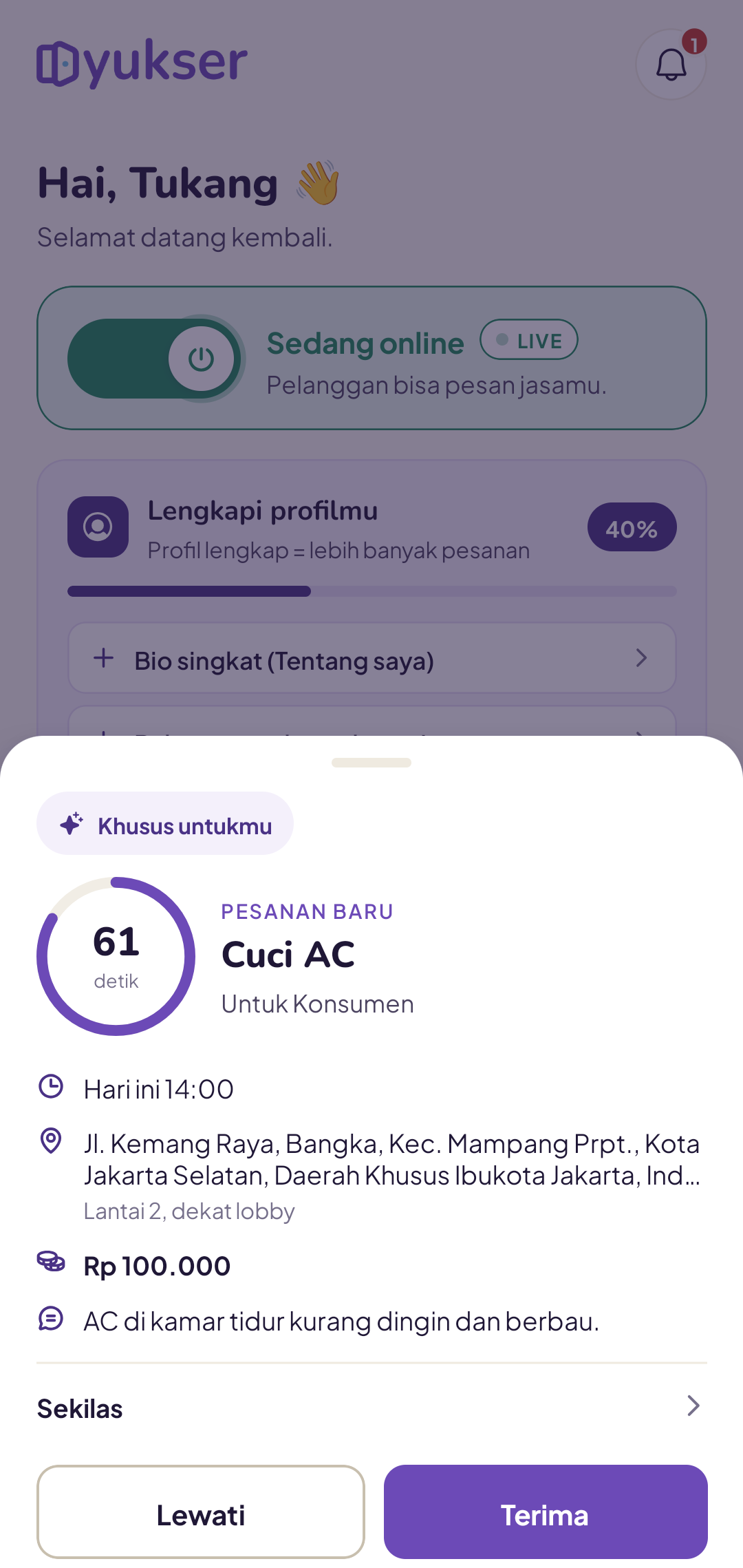
How long do you have to respond?
It depends on your tier for this order:
- Just for you (tier 1) - around 45 seconds. The order is assigned to you first, so there's no competition. Use this time to read the details at your own pace.
- Shared with a few tukang (tier 2) - around 30 seconds, competing with up to 5 other nearby tukang. Whoever taps Accept first wins.
- Open to everyone (tier 3) - around 15 seconds, broadcast to all matching tukang. Tap quickly if you want to take it.
The total maximum is 90 seconds (adjustable by admin). After that, the system marks the order as no tukang available and notifies the customer.
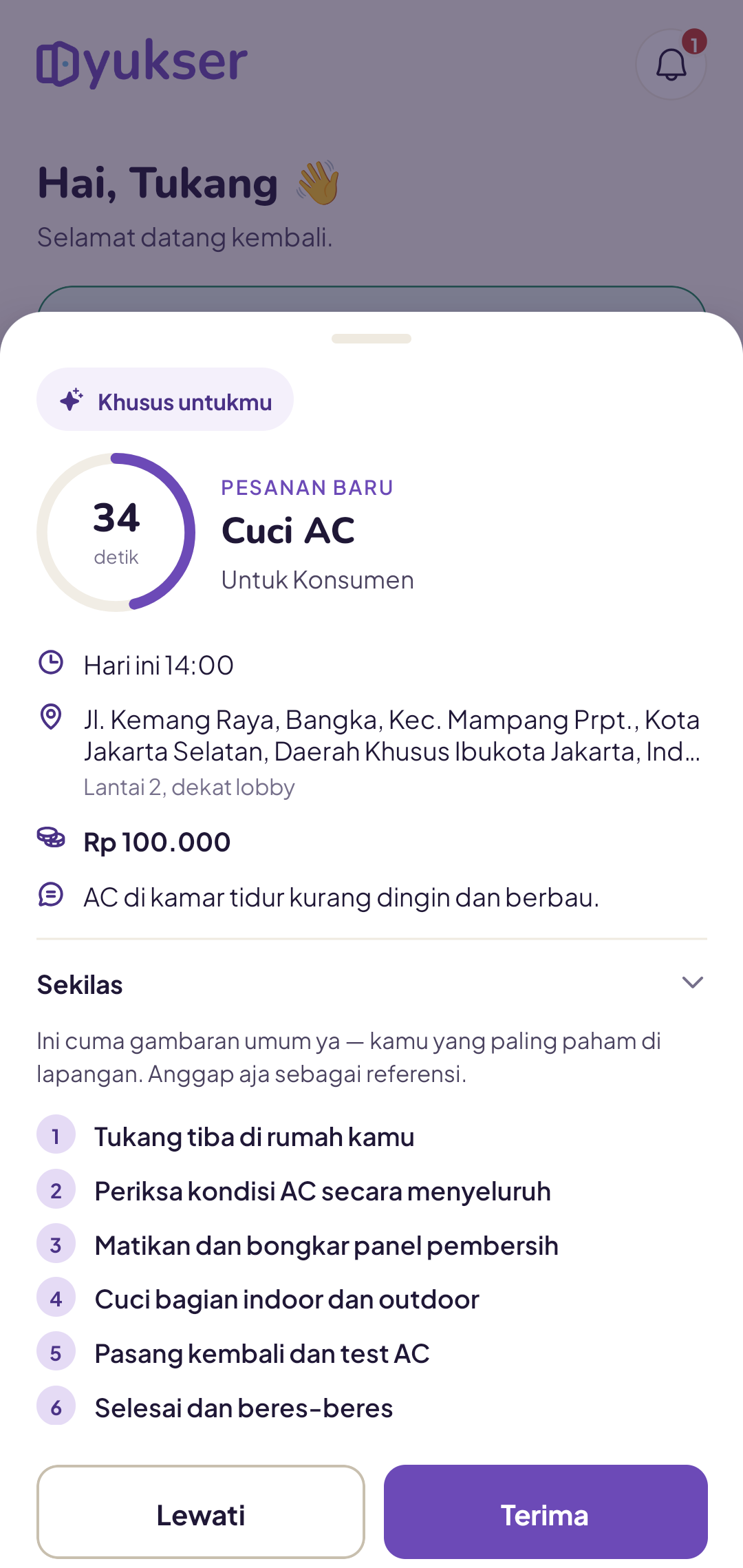
What is "At a glance"?
Tap At a glance on the order offer to see an overview of the work steps for that service. It's just a reference - you know the on-site conditions best.
Why do I sometimes get an exclusief offer and sometimes join a race?
The system selects tier 1 candidates based on:
- Closest distance
- Rating ≥ 4.5 (where applicable)
- Not skipping orders too often (≤ 50% skip rate in the last 30 days)
If no one meets all the criteria, candidates are selected on distance alone. Once tier 1 passes without an accept, the system promotes the order to tier 2 (5 nearest tukang), then tier 3 (all matching tukang).
I'm offline - why am I still getting notifications?
Notifications only come through when your Availability is turned on. Make sure the toggle on your home page is active.
I already have an order in progress - can I still receive offers?
No. While you have an active order, the system automatically holds back new orders until you finish your current job.
Can I decline an order?
Yes. Simply let the timer run out or tap Skip. There's no penalty for a single decline, but a pattern of repeated skipping (>50% in 30 days) will move you out of tier 1 - you'll still receive orders at tier 2/3, but no longer as an exclusief.
Only accept orders you can genuinely complete - quality always comes before quantity.